
Most of us love CSS variables. Once you start using them, it’s hard to go back.
But here’s the interesting part.
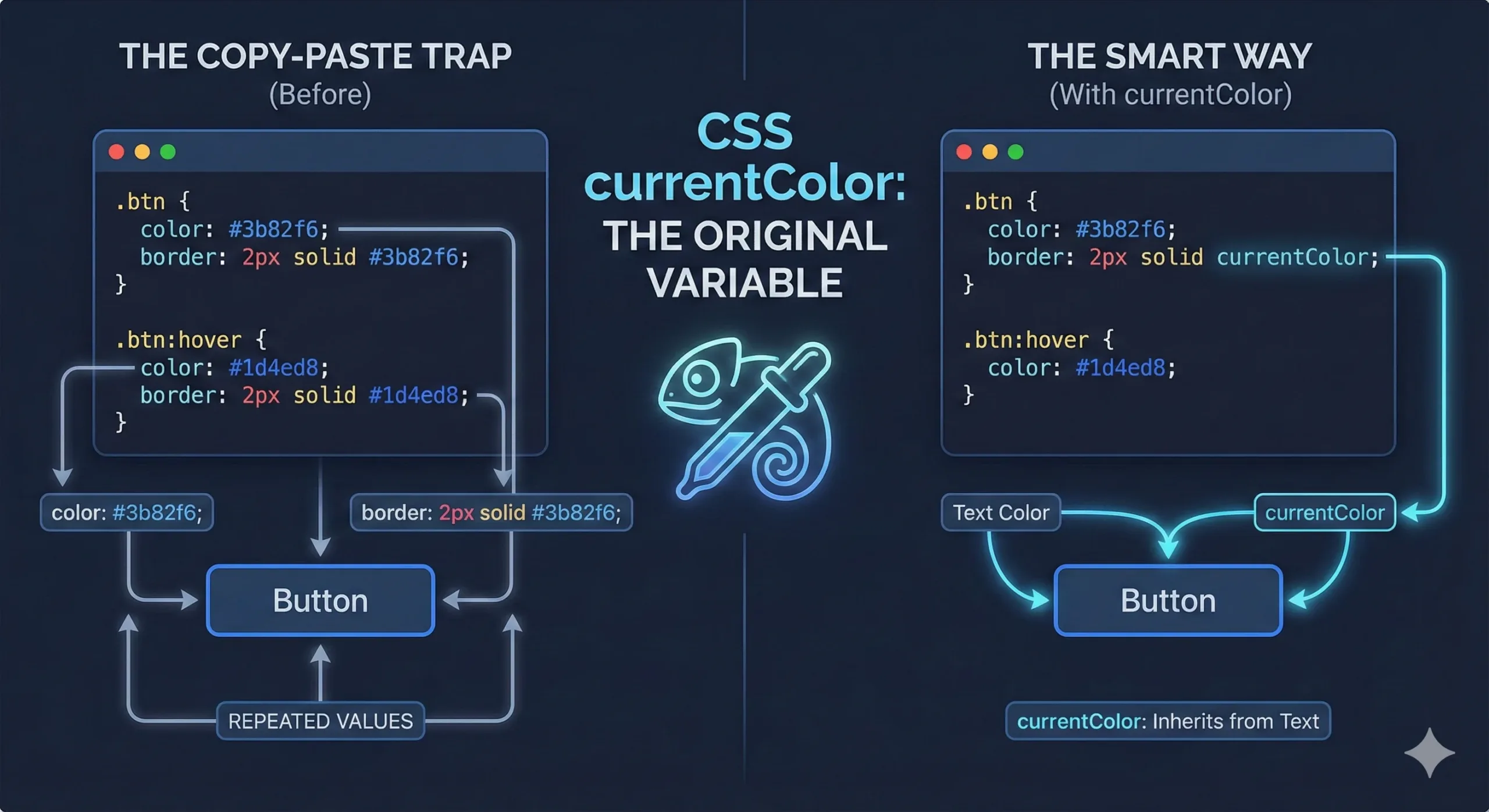
Before CSS variables even existed, CSS already had a smart way to reuse color values. It’s called currentColor, and many developers either don’t know about it or forget it exists.
If you’ve ever copied the same color value into multiple CSS properties and thought, “There has to be a better way,” this post is for you.
The Everyday Problem: Updating the Same Color Everywhere
Let’s start with a widespread UI pattern: a ghost button.
A ghost button usually has:
- Transparent background
- Colored text
- Colored border
Most of the time, we write something like this:
.btn {
  color: #3b82f6;
  border: 2px solid #3b82f6;
}

.btn:hover {
  color: #1d4ed8;
  border: 2px solid #1d4ed8;
}
This works. But it has a small problem.
You’re repeating yourself.
The same color value appears twice. On hover, it seems twice again. If you later change the button color, you must remember to update it in multiple places.
Miss one, and your UI looks broken.
This is what I call the copy-paste trap.
Enter currentColor
Think of currentColor as a shortcut.
It tells the browser:
“Use whatever color this element’s text is using right now.”
That’s it. No magic. No variables. Just awareness.
Let’s rewrite the same button using currentColor.
.btn {
  color: #3b82f6;
  border: 2px solid currentColor;
}

.btn:hover {
  color: #1d4ed8;
}
That’s already better.
What Just Happened?
Here’s what’s going on behind the scenes:
- The text color is set using
color - The border color uses
currentColor currentColorautomatically follows the text color
When the hover state changes the text color, the border updates by itself.
You changed one line.
Two things updated.
This is where currentColor shines.
Another Simple Example: Links with Underlines
Imagine a custom link style where the underline matches the text color.
a {
  color: #16a34a;
  text-decoration-color: currentColor;
}

a:hover {
  color: #15803d;
}
Again, no repeated color values. The underline always stays in sync with the text.
My Favorite Use Case: Icons That Match Text
This is where currentColor really feels powerful.
If you use inline SVG icons, you’ve probably faced this problem:
- The text changes color on hover
- The icon doesn’t
Instead of writing complex CSS selectors, just do this once:
svg {
  fill: currentColor;
}
Now the icon automatically inherits the text color of its parent.
Put the icon inside:
- A blue button → blue icon
- A white navbar → white icon
- A red warning link → red icon
No extra CSS. No special cases.
Your components become reusable and flexible by default.
Where You Can Use currentColor
You can use currentColor anywhere a color value is allowed, such as:
borderoutlinebox-shadowfillandstrokein SVGtext-decoration-color
Anywhere color duplication feels wrong, currentColor is worth trying.
Why This Matters
currentColor helps you:
- Write less CSS
- Avoid repeated hex values
- Keep designs consistent
- Make hover and focus states easier
- Build flexible components that adapt naturally
In many cases, it removes the need for a CSS variable entirely.
Once you start noticing color duplication in your CSS, you’ll see opportunities for currentColor everywhere.
Try it in your next button, link, or icon.
Leave a Reply